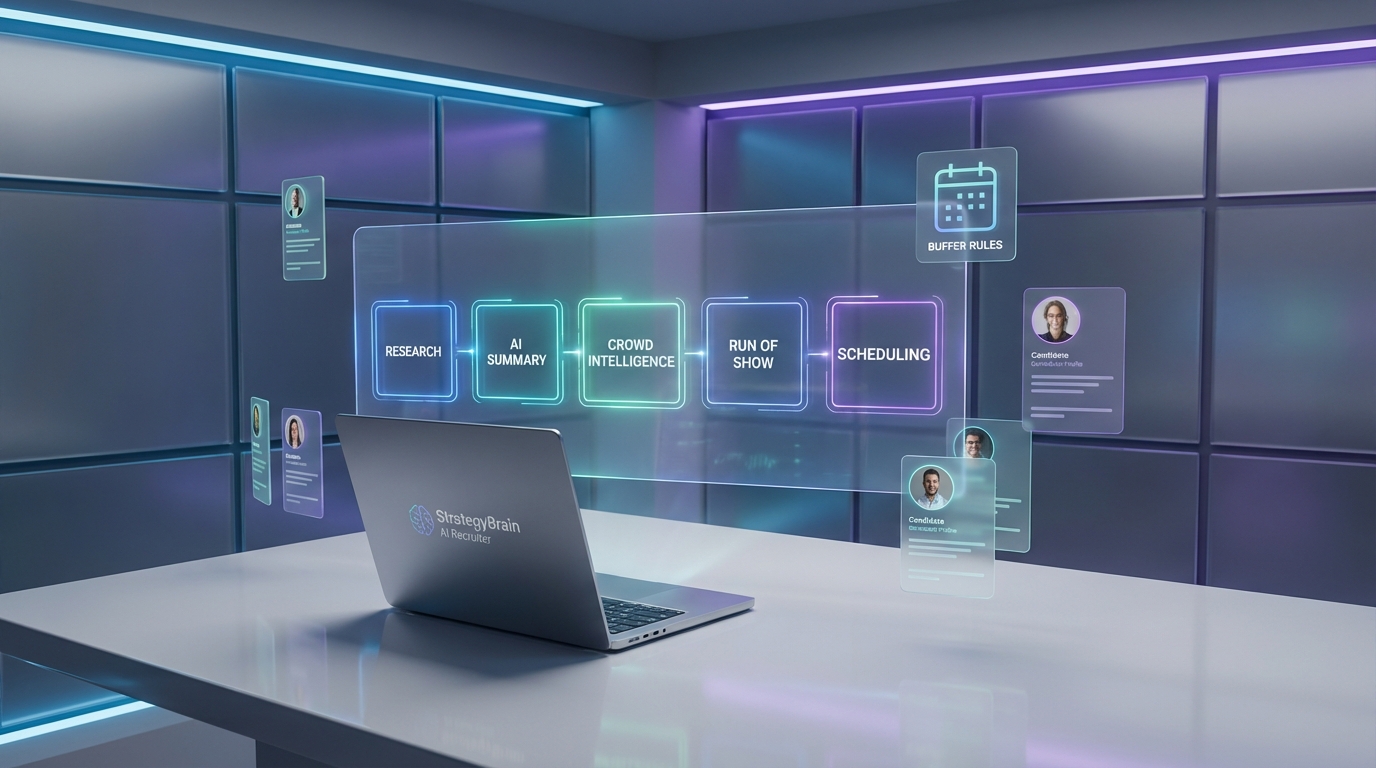
If you want a smoother, higher signal interview, treat preparation like a workflow: do background research, use AI to collate and summarize angles, activate your network for crowd intelligence, align to the event brief, then lock a run of show and send a clean invite from an interview scheduling app. In my prep for interviewing Steven Bartlett, I used AI to compress research into discussion threads, combined it with questions from my network, and structured a 30 to 40 minute conversation into three parts. This post shows the exact steps I followed, and where StrategyBrain AI Recruiter fits in when the “interview” is a hiring interview and you need fewer messages before you can schedule.
Table of Contents
- Key Takeaways
- Why prep needs a workflow
- Step 1: Background research
- Step 2: Use AI to collate, compress, summarize
- Step 3: Activate crowd intelligence
- Step 4: Review guidance and brief
- Step 5: Build a run of show
- Where an interview scheduling app actually helps
- How StrategyBrain AI Recruiter reduces pre scheduling work
- Quick checklist
- Whats going on
- FAQ
- Conclusion
Key Takeaways
- Prep beats improvisation: I treat interview prep like reading a candidate profile before they arrive, not during the call.
- AI is a compression tool: I used AI to collate and summarize research into angles I might miss alone.
- Crowd intelligence adds edge: A network can generate sharper questions than solo brainstorming.
- Brief alignment prevents drift: Because the conversation sits inside a wider event, I aligned topics to the brief from Brandice Payne.
- Run of show reduces risk: A three part structure for a 30 to 40 minute interview keeps pacing tight.
- Scheduling is the last mile: An interview scheduling app and the best free online calendar options help only after you have clarity on format and attendees.
- Hiring interviews need less back and forth: StrategyBrain AI Recruiter can automate LinkedIn outreach and early qualification, then pass interested candidates to scheduling.
Why prep needs a workflow
How do you interview one of the world’s most famous interviewers. It feels like cooking for Gordon Ramsay. You can only mess it up. That is exactly why I prefer a repeatable workflow over vibes.
In recruiting, the same principle applies. If you rely on last minute scanning, you miss context, you ask generic questions, and you waste time in the first 10 minutes just getting oriented. A workflow makes the interview better, and it also makes scheduling easier because you know what you are booking.
Step 1: Background research
Basic stuff. You have to know your guest. For recruiters, this is the equivalent of reading the profile or CV before the candidate shows up, not trying to do it live while they are talking.
What I do
- Collect the essentials: key career milestones, public themes, and recurring viewpoints.
- Note the “obvious questions”: then plan to avoid spending the whole interview there.
- Write down contradictions: places where the story has tension are usually where the best questions live.
Limitations
- Public information can be repetitive, so you can end up with the same angles everyone else has.
- Over researching can make you rigid if you do not leave room for follow ups.
Step 2: Use AI to collate, compress, summarize
We are at the point where AI is eating search. Traditional search still works, but I get to relevant context faster by asking AI tools to condense information and summarize it into themes. I used AI to generate discussion angles that I might not spot on my own.
Define the term on first use
Collate means gathering information from multiple places into one view. Compress means reducing it to the smallest useful summary. Summarize means turning it into themes and talking points you can actually use in conversation.
What I ask the AI to produce
- Theme map: 5 to 8 themes with one sentence each.
- Contrarian angles: questions that challenge the default narrative without being hostile.
- Follow up ladders: a main question plus 2 follow ups that dig deeper.
Pain points I hit
- AI can confidently invent details if you do not constrain it to known facts.
- Summaries can flatten nuance, so I always keep the raw notes nearby.
Step 3: Activate crowd intelligence
Combine AI with CI. By CI I mean crowd intelligence, using your professional network as a distributed thinking system. I asked my network for questions and prompts, and some genuinely strong ones came back.
How I run it
- Post the context: who the guest is and what the interview is for.
- Ask for specific question types: for example, “one uncomfortable question” and “one practical question.”
- Curate: pick questions that match the tone and the brief, then rewrite them in your own voice.
Step 4: Review guidance and brief
This conversation is nested in a wider event, so alignment matters. I reviewed the brief from Brandice Payne to make sure the interview supports the broader goals, not just my curiosity.
What I check in the brief
- Audience: who is listening and what they care about.
- Non negotiables: topics that must be covered.
- Boundaries: topics to avoid or handle carefully.
Step 5: Build a run of show
I planned a tripartite structure for a 30 to 40 minute interview. Part one is personal point of view on hiring. Part two is the impact of AI. Part three is rapid fire with closed questions. This structure keeps pacing tight and reduces the chance of running out of time before the best segment.
My run of show template
- Opening: 2 minutes to set context and tone.
- Segment 1: personal POV on hiring.
- Segment 2: impact of AI on work and decision making.
- Segment 3: rapid fire, closed questions.
- Close: 1 minute, recap and thank you.
Where an interview scheduling app actually helps
Once the structure is clear, scheduling becomes a logistics problem. That is where an interview scheduling app earns its keep. It reduces coordination messages, prevents double booking, and makes rescheduling less painful.
What to look for if you want the best free online calendar experience
- Time zone handling: automatic conversion for guests in different regions.
- Buffer rules: for example, 10 minutes before and after interviews.
- Availability controls: separate windows for deep work and interviews.
Where online calendar programs still fail
- If the invitee is not actually qualified or not truly interested, you still waste calendar time.
- If you do not have a clear run of show, you book the wrong duration and end up rushing.
How StrategyBrain AI Recruiter reduces pre scheduling work
In hiring, the hardest part is often not the calendar invite. It is the messy lead up: outreach, follow ups, answering basic questions, and figuring out who is genuinely interested. This is where StrategyBrain AI Recruiter changes the workflow.
Based on our hands on review of the product documentation and feature walkthroughs, StrategyBrain AI Recruiter is designed to automate early stage LinkedIn recruiting. It can connect with candidates that match your criteria, introduce the role, answer questions about the company and compensation, confirm interview interest, and collect resumes and contact details from interested candidates. Recruiters then review the collected information and move qualified, interested people into the interview scheduling app.
What this looks like in practice
- Define the role packet: company details, compensation, benefits, and candidate criteria.
- Let the AI handle first contact: outreach and follow up messaging on LinkedIn.
- Hand off only interested candidates: once interest is confirmed and details are captured, schedule interviews.
Why it pairs well with scheduling
- Fewer no shows: interest is confirmed before time is booked.
- Less recruiter context switching: the AI handles repetitive Q and A and follow ups.
- Global coverage: 24/7 multilingual communication supports candidates across time zones.
Scope boundaries
StrategyBrain AI Recruiter can identify willingness to communicate or interview, but it does not decide final fit against job requirements. The recruiter still reviews the resume and makes the hiring decision.
Quick checklist
- [ ] Background research completed and key themes noted
- [ ] AI summary produced with themes, contrarian angles, and follow up ladders
- [ ] Crowd intelligence questions collected and rewritten in my voice
- [ ] Brief reviewed and non negotiables mapped to segments
- [ ] Run of show finalized for 30 to 40 minutes
- [ ] Interview scheduling app availability set with time zones and buffers
- [ ] For hiring: StrategyBrain AI Recruiter configured to confirm interest before scheduling
Whats going on
- LinkedIn Hiring Assistant demo with Hari Srinivasan later today at 6pm BST
- How to Leverage Social Media for Passive Candidates with Doug Monro at Adzuna
- How to build Career Pages Which Actually Work: Koos Wurzer, Charu M., Bas van de Haterd
- Converting Inbound Volume to Talent Advantage: Covey
- Hiring Manager Self Serve, the Past and Future of Hiring: Martin Warren, Lyndsey Taylor
There is more, but I am running out of space.
FAQ
Do I really need an interview scheduling app for one off interviews?
Yes, if you want fewer messages and fewer mistakes. Even a single interview benefits from clear availability windows, time zone conversion, and automatic calendar holds.
What is the difference between an interview scheduling app and online calendar programs?
Online calendar programs store events and availability. An interview scheduling app typically adds booking links, rules like buffers, and automated confirmations so other people can schedule with you without manual coordination.
Is the best free online calendar enough for recruiting interviews?
It can be enough for scheduling, but it does not solve pre scheduling work like outreach, follow ups, and answering repetitive candidate questions. That is why teams often pair scheduling with automation upstream.
How does StrategyBrain AI Recruiter help before scheduling?
It automates LinkedIn outreach and early conversations, confirms interview interest, and collects resumes and contact details. Then recruiters schedule only the candidates who are actually interested.
Does StrategyBrain AI Recruiter replace recruiters?
No. It replaces repetitive early stage tasks like connecting, messaging, and collecting information. Recruiters still evaluate resumes, run interviews, and make hiring decisions.
Can StrategyBrain AI Recruiter communicate with candidates in different languages?
Yes. It supports multilingual communication and can respond around the clock, which helps when candidates are in different time zones.
How many LinkedIn accounts can be managed for scaling outreach?
StrategyBrain AI Recruiter supports managing more than 100 LinkedIn accounts for organizations that want to build an AI powered recruiting team.
How does it handle privacy and data protection?
According to the product information provided, customer data is not used to train AI models, and credentials and candidate data are encrypted and isolated per customer. Always validate your own compliance requirements before deployment.
Conclusion
My prep for interviewing Steven Bartlett is simple in concept and strict in execution: research first, use AI to compress and surface angles, pull in crowd intelligence, align to the brief, then run a three part show for 30 to 40 minutes. Only after that do I worry about the calendar.
If you are hiring, the same logic applies. An interview scheduling app helps with the last mile, but you get the biggest time savings when you reduce pre scheduling back and forth. If your team does a lot of LinkedIn outreach, StrategyBrain AI Recruiter is worth evaluating as the layer that confirms interest and collects details before you ever send a booking invite.