


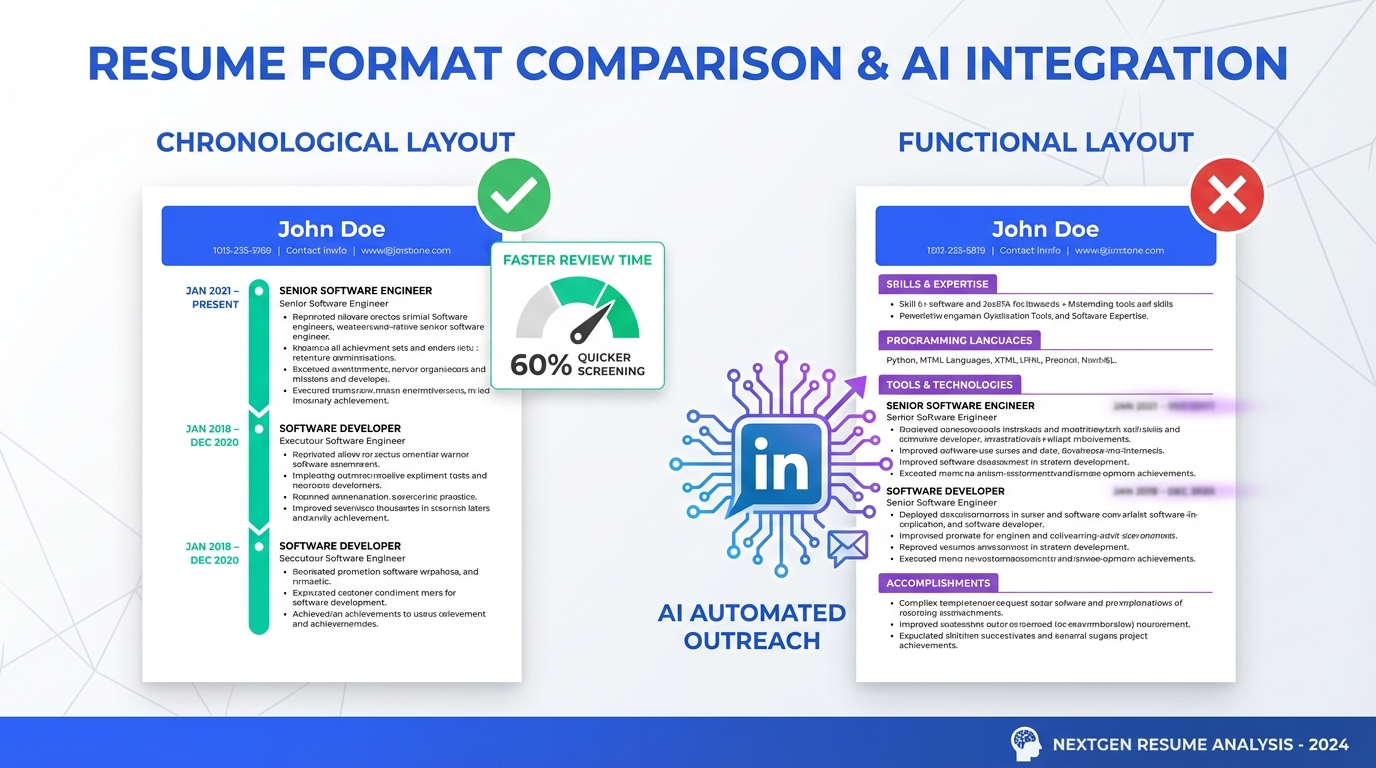
If you are applying through ai talent management software or any modern talent platform, the most consistently readable resume format is a chronological resume with a strong Summary and measurable Accomplishments near the top. In our experience reviewing resumes with hiring managers, chronological layouts reduce ambiguity because employers, titles, and dates are visible in seconds, while functional resumes often create extra interpretation work because skills are not clearly tied to a specific role and time period. This article explains how to choose between chronological vs functional formats, how talent intelligence software and ATS parsing typically interpret each, and how StrategyBrain AI Recruiter can streamline the LinkedIn front end by automating outreach, answering candidate questions, and collecting resumes and contact details before recruiters invest time in deeper qualification.
Key Takeaways
- Best default choice: A chronological resume is easiest for recruiters and AI screening to validate employers, titles, and dates in 10 to 15 seconds.
- Functional resumes add uncertainty: When skills are not tied to a role and timeframe, reviewers often look harder for gaps and mismatches.
- Use a Summary to control the narrative: Put years of experience, specialization, credentials, and relevant languages in the first third of page 1.
- Use Accomplishments to surface impact: Add 3 to 6 measurable bullets such as 130% quota attainment or reduced cycle time by a specific number.
- Volunteer work can be relevant: Include it when it supports the target role and helps explain recent timeline context.
- AI Recruiter reduces early stage friction: StrategyBrain AI Recruiter automates LinkedIn outreach and follow up, answers role and compensation questions, and collects resumes and contact details for interested candidates.
Why chronological usually wins in AI screening
Recruiters and hiring managers typically start with three questions: where did you work, what was your title, and how long were you there. A chronological resume answers those questions in the most direct way because each role is anchored to an employer and a date range.
That clarity matters even more when your resume is processed by ai talent management software. Most systems still rely on structured extraction of employer names, job titles, locations, and dates to build a candidate profile. When those fields are easy to find, the system and the human reviewer can align quickly on what you actually did and when you did it.
In our day to day recruiting work, chronological resumes also reduce follow up questions during the first screen because the timeline is explicit. That means the conversation can focus on fit, scope, and outcomes rather than reconstructing history.
When a functional resume backfires
A functional resume groups skills and achievements first and pushes the work history later. The intent is understandable, especially if you want to emphasize earlier experience, downplay a lower skilled recent role, or make a job search gap less visible. The problem is that it often creates a verification gap for the reader.
When skills are presented without clear role context, reviewers can struggle to answer basic questions such as where you performed a duty, for how long, and whether it was repeated across multiple jobs. That uncertainty can feel like a guessing game, and it can trigger a concern that the candidate is trying to hide something even when that is not the intent.
Functional resumes can also slow down review time. A commonly cited benchmark is that initial resume scans can be very short, often measured in seconds rather than minutes. If the format forces extra interpretation, it can cost you attention at the exact moment you need clarity.
How to make relevant experience stand out without going functional
If your strongest experience is not in your most recent role, you can still keep a chronological format and guide the reader to what matters. The goal is to make the first screen obvious while keeping the timeline intact.
1) Add a Summary or Profile at the top
Place a Summary section near the top of page 1. Keep it tight and specific so it reads well in both human review and talent intelligence software extraction.
- Years and domain: “7 years in B2B SaaS sales and partner development.”
- Specialization: “Enterprise pipeline creation, multi stakeholder deals, and renewals.”
- Credentials: Certifications, licenses, or relevant education.
- Languages: Only if relevant to the role.
2) Add an Accomplishments section before Work Experience
Use a short accomplishments list to surface impact quickly. This is where you can highlight the best outcomes from earlier roles without hiding your timeline.
- “Consistently delivered 130% of quarterly target across 6 consecutive quarters.”
- “Reduced onboarding time by 14 days by standardizing training materials.”
- “Increased event registrations by 320 in 90 days through partner co marketing.”
3) Keep the Work Experience section chronological and scannable
Within each role, use 3 to 6 bullets that connect scope to outcomes. If your most recent role was lower skilled but included higher level responsibilities, state that clearly in the bullets so the reader does not rely on the title alone.
4) Include relevant volunteer experience
Volunteer work can be legitimate professional experience when it is relevant to the target role. It can also provide helpful context if you have been searching for work for 6 months and want to show ongoing contribution. Place it in a dedicated section with dates and responsibilities, just like paid roles.
AI talent management software and ATS parsing notes
AI screening is not magic. Most ai talent management software systems still depend on consistent structure to extract a timeline, infer seniority, and match skills to roles. You do not need to write for a robot, but you should avoid formats that make basic facts ambiguous.
Practical formatting checklist
- Use standard headings: Summary, Skills, Work Experience, Education, Certifications.
- Use clear date ranges: Month and year to month and year, consistently.
- Avoid hiding the timeline: If you use a hybrid format, keep the work history easy to find and complete.
- Make metrics explicit: Include units such as percent, days, dollars, or counts.
- Keep job titles accurate: If your title was junior but responsibilities were senior, explain responsibilities in bullets rather than renaming the title.
How StrategyBrain AI Recruiter fits into the workflow
Resume format is only one part of getting hired. The other part is whether you get into a real conversation quickly. In many teams, the bottleneck is not just parsing and ranking inside a talent platform. The bottleneck is the manual work of LinkedIn outreach, follow up, and early qualification.
StrategyBrain AI Recruiter is designed for that front end. It automates LinkedIn recruiting tasks by connecting with candidates that match defined search criteria, introducing the role, and handling the initial back and forth. It can answer questions about the role, company, and compensation, confirm interview interest, and collect resumes and contact details from candidates who want to proceed.
Two workflow details matter for hiring teams using talent intelligence software. First, AI Recruiter can respond 24/7 and communicate in the candidate’s native language, which reduces delays and misunderstandings across time zones. Second, it supports managing more than 100 LinkedIn accounts, which enables an organization to scale outreach capacity without scaling recruiter headcount at the same rate.
One important boundary is that AI Recruiter does not decide whether a resume fully matches job requirements. It focuses on outreach, interest confirmation, and information capture. Recruiters still make the final qualification decision after reviewing the resume, which keeps accountability where it belongs.
Quick Comparison
| Approach | Best for | Risk in recruiter review | How it behaves in AI screening |
|---|---|---|---|
| Chronological resume | Most candidates and most roles | Low, timeline is explicit | Typically easiest to parse into employer, title, dates |
| Functional resume | Rare edge cases where timeline is secondary | High, can look like gaps are being hidden | Skills may be extracted, but role mapping can be unclear |
| Chronological plus Summary and Accomplishments | When strongest experience is not the most recent | Low, highlights impact without hiding history | Good balance for humans and ai talent management software |
| LinkedIn outreach automation with StrategyBrain AI Recruiter | Scaling candidate conversations and resume collection | Low, recruiters review resumes after interest is confirmed | Complements talent platforms by feeding qualified, interested candidates |
FAQ
Is a chronological resume better for ai talent management software?
Yes in most cases. Chronological resumes make employer names, job titles, and date ranges easy to extract and easy to verify, which helps both ATS parsing and human reviewers.
Will recruiters assume I am hiding something with a functional resume?
They might, even if that is not your intent. When skills are not tied to a specific role and timeframe, reviewers often look harder for gaps and inconsistencies.
How do I highlight older experience without changing to a functional format?
Use a Summary and an Accomplishments section near the top of page 1. Then keep Work Experience chronological so the timeline remains clear.
Should I include volunteer experience if I have been unemployed for 6 months?
Yes if it is relevant to the role or demonstrates transferable skills. List it with dates and responsibilities so it reads like real experience rather than filler.
What does talent intelligence software look for first?
Most systems prioritize structured signals such as titles, employers, dates, locations, and repeated skills. Clear headings and consistent date formatting improve extraction quality.
Does StrategyBrain AI Recruiter replace recruiters?
No. It automates the initial LinkedIn outreach and early conversation steps, then collects resumes and contact details for interested candidates so recruiters can focus on qualification and interviews.
Can AI Recruiter communicate with candidates in different languages?
Yes. It supports multilingual communication so candidates can interact in their native language, which is useful for global hiring across time zones.
Does AI Recruiter decide if a candidate is qualified?
No. It confirms interest and captures information, but the recruiter makes the final qualification decision after reviewing the resume and details collected.
Conclusion
If your goal is to be understood quickly by both humans and ai talent management software, a chronological resume remains the safest default. When you need to emphasize earlier wins, do it with a Summary and a measurable Accomplishments section rather than switching to a functional format that can raise questions.
Next step: update your resume to a chronological layout, add 3 to 6 quantified accomplishments, and include relevant volunteer work with dates. If your hiring team’s bottleneck is LinkedIn outreach and follow up rather than resume formatting, consider how StrategyBrain AI Recruiter can automate early conversations, collect resumes and contact details, and feed interested candidates into your existing talent platform workflow.















