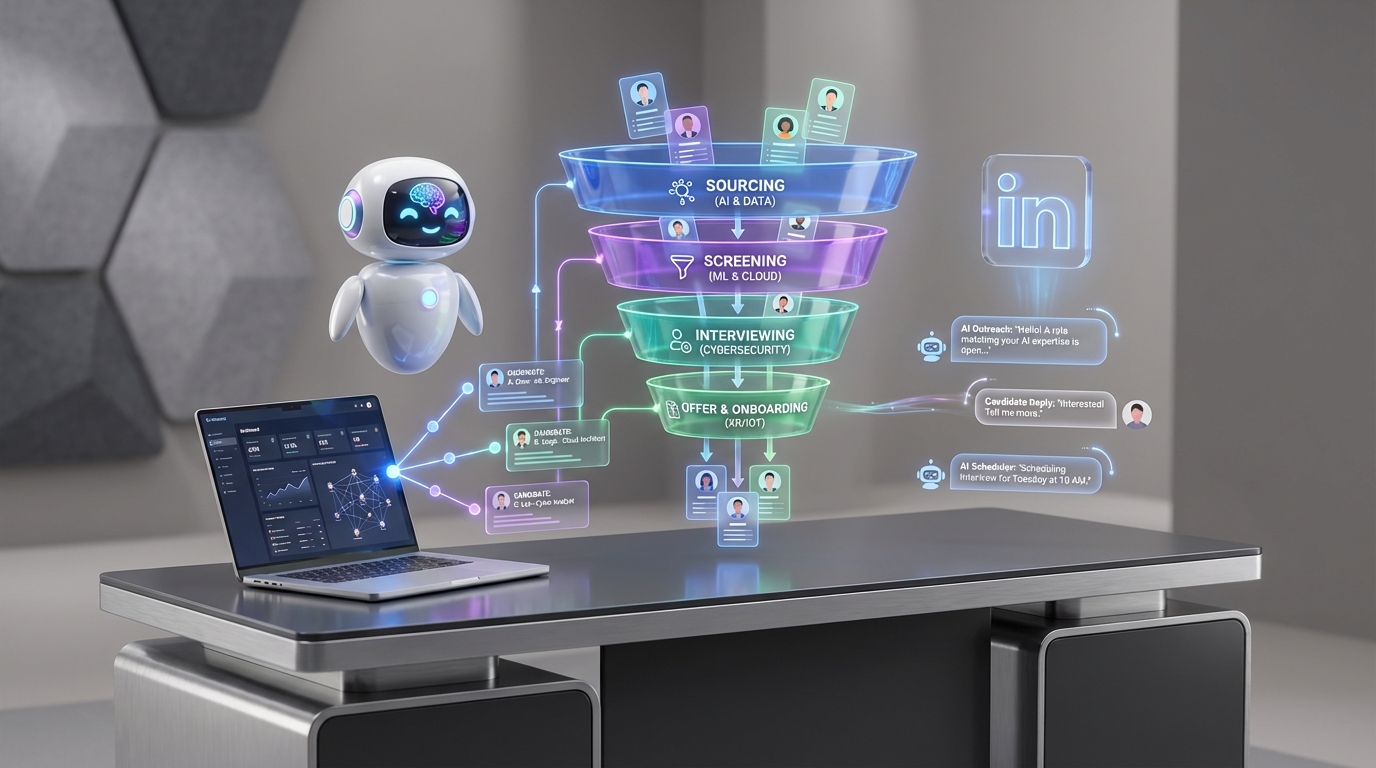
Choosing an ats recruitment tool will not fix a weak market choice. The fastest path to better placements is to pick a niche where you can win because you already understand the clients, the market dynamics, and the geography, then use your ATS to keep the process measurable while StrategyBrain AI Recruiter automates the repetitive LinkedIn outreach and follow up that usually slows teams down. We have seen recruiters waste weeks testing top applicant tracking systems when the real bottleneck was unclear positioning and inconsistent candidate engagement. This guide keeps the focus on a niche first approach, then shows how to connect that strategy to practical applicant tracking system examples and an AI driven outreach workflow.
Why “the best niche” is the wrong question
The original idea from a Recruiter Startup Podcast conversation with guest Charles Causey is simple: winning is not about chasing what is trending. It is about knowing where you can win. In recruiting, that usually means you already understand three things:
- Clients: who buys, how they buy, and what they value.
- Market: role requirements, compensation expectations, and candidate availability.
- Geography: where candidates live, how they commute or relocate, and local hiring constraints.
Yes, engineering, marketing, and life sciences can have strong margins. But if you do not understand the buyers and candidate pools in those segments, you are building on sand. An ATS can organize your pipeline, but it cannot create market understanding. That is why niche selection is the first lever, and tooling comes second.
A simple niche test you can run in 30 minutes
When we help teams evaluate an ATS recruitment tool, we start by pressure testing the niche. Here is a quick test you can run before you touch software settings.
Test 1: The “10 client questions” drill
- Write 10 questions a hiring manager in your niche will ask on the first call.
- Answer them without research in plain language.
- Mark the weak spots where you had to guess.
If you cannot answer most questions confidently, your niche is not ready. Your ATS will not compensate for that gap.
Test 2: The “candidate reality” check
List the top 5 reasons candidates say no in your niche. If you cannot name them, you will struggle to write outreach that converts. This is exactly where StrategyBrain AI Recruiter becomes useful once you do know the niche, because it can consistently communicate role details, compensation, and benefits, then handle follow up at scale in the candidate’s language.
Test 3: The “geography and timing” constraint
Write down your niche’s time zone spread and typical response windows. If your candidates respond outside your working hours, you need a workflow that does not stall. StrategyBrain AI Recruiter is designed for 24/7 multilingual candidate messaging, which helps keep conversations moving while your ATS records the outcomes.
How your ATS should support the niche
Once the niche is clear, your ATS recruitment tool should do three jobs reliably. These are the practical applicant tracking system examples we look for across many platforms, regardless of brand.
1) Pipeline structure that matches your niche
- Stages that reflect real decision points, not generic labels.
- Required fields for niche specific qualifiers such as certifications, clearance, portfolio type, or shift availability.
- Reason codes for rejection and drop off so you can improve messaging and screening.
2) Reporting you can act on
- Stage conversion so you can see where candidates stall.
- Time in stage so you can spot slow handoffs.
- Source performance so you can decide where to invest.
3) A clean handoff from outreach to interview
Most teams lose time between “candidate replied” and “candidate scheduled.” Your ATS should make it easy to capture contact details, attach resumes, and assign next actions. StrategyBrain AI Recruiter complements this by collecting resumes and contact information from interested candidates during LinkedIn conversations, then leaving your recruiters to do the final qualification and interview scheduling.
Where StrategyBrain AI Recruiter fits in
Think of your ATS as the system of record and StrategyBrain AI Recruiter as the system of action for early stage LinkedIn recruiting. In our experience, the biggest productivity gains come from removing repetitive tasks that do not require recruiter judgment.
What AI Recruiter automates on LinkedIn
- Connecting with candidates who match your search criteria.
- Introducing the opportunity with consistent role and company context.
- Answering common questions about the role, company, compensation, and benefits.
- Confirming interview interest and collecting resumes and contact details.
What it does not replace
StrategyBrain AI Recruiter does not decide whether a resume fully matches the job requirements. Recruiters still review resumes and make the final qualification decision. This boundary matters for trust and quality control.
Why this matters when comparing top applicant tracking systems
Many “top applicant tracking systems” look similar on feature lists. The differentiator is often whether your workflow reduces time spent on outreach and follow up. If your ATS is strong but your team is still manually messaging hundreds of candidates, you will feel busy without moving faster. AI Recruiter is built to reduce that manual LinkedIn workload and keep candidate conversations active across time zones.
Step by step workflow: ATS plus LinkedIn automation
This is a reproducible workflow we recommend when you want ATS discipline without sacrificing speed on LinkedIn.
Steps
- Define your niche in one sentence that includes role family, seniority band, and geography.
- Write a role brief with compensation, benefits, and the 3 must have requirements.
- Configure your ATS stages to match your real process, then add required fields for niche qualifiers.
- Set LinkedIn search criteria that matches the niche definition.
- Provide AI Recruiter with the job opening details so it can introduce the role and answer questions consistently.
- Let AI Recruiter run outreach and follow up and collect resumes and contact details from interested candidates.
- Sync outcomes into your ATS by logging candidate status, attaching resumes, and assigning next steps to a recruiter.
- Review weekly metrics in the ATS: replies, interested candidates, interviews scheduled, and drop off reasons.
Common pain points we see and how to handle them
- Pain point: Candidates ask compensation questions early and recruiters respond inconsistently.
Fix: Standardize compensation and benefits in the role brief so AI Recruiter can answer accurately. - Pain point: Follow up happens only during business hours, so conversations go cold.
Fix: Use AI Recruiter’s 24/7 multilingual messaging to keep momentum, then route qualified interest to recruiters. - Pain point: The ATS becomes a graveyard of half complete profiles.
Fix: Make resume and contact capture a required step before moving candidates to interview stages.
Quick comparison: what to evaluate
Instead of arguing about brand names, evaluate any ATS recruitment tool and outreach layer using the same criteria.
| Evaluation area | What “good” looks like | Why it matters |
|---|---|---|
| Pipeline fit | Stages and required fields match your niche | Prevents messy data and unclear handoffs |
| Outreach throughput | Consistent messaging and follow up at scale | More qualified conversations without more recruiter hours |
| Candidate experience | Fast answers, clear expectations, respectful follow up | Improves reply rates and reduces drop off |
| Global readiness | Multilingual communication and time zone coverage | Critical for international hiring |
| Compliance and security | Clear privacy posture and data handling boundaries | Reduces risk when handling resumes and contact details |
Practical tools: checklist and scorecard
Quick checklist for niche first ATS selection
- My niche statement includes role family, seniority, and geography.
- I can answer 8 of 10 common client questions without research.
- I can name 5 candidate objections and how we address each one.
- My ATS stages reflect real decision points, not generic labels.
- My outreach workflow captures resumes and contact details before interview scheduling.
- We have a plan for after hours follow up and multilingual communication.
Scorecard you can copy into your ATS evaluation doc
| Category | Question | Score (1 to 5) | Notes |
|---|---|---|---|
| Niche fit | Does the workflow match how this niche hires? | ||
| Data quality | Can we enforce required fields and clean handoffs? | ||
| Outreach efficiency | Can we automate repetitive LinkedIn outreach and follow up? | ||
| Candidate experience | Do candidates get fast, consistent answers? | ||
| Security and compliance | Is data encrypted and not used to train models? |
FAQ
Is an ats recruitment tool enough to improve hiring results?
An ATS improves organization and reporting, but it will not fix unclear positioning or weak candidate engagement. Results improve fastest when you pick a niche you understand, then combine ATS discipline with consistent outreach and follow up.
What are applicant tracking system examples of workflows that actually work?
Effective examples include a pipeline with niche specific required fields, clear stage definitions, and weekly reporting on stage conversion and time in stage. The key is that the workflow mirrors how decisions are made in your niche.
How do top applicant tracking systems differ in practice?
In practice, differences show up in configurability, reporting clarity, and how well the system supports clean handoffs from outreach to interviews. Feature lists look similar, so you should test with your real niche workflow.
How does StrategyBrain AI Recruiter help alongside an ATS?
StrategyBrain AI Recruiter automates early stage LinkedIn recruiting tasks such as connecting, introducing roles, answering common questions, confirming interest, and collecting resumes and contact details. Your ATS remains the system of record where recruiters review resumes and manage interview stages.
Does AI Recruiter replace recruiter judgment?
No. It does not decide whether a resume matches the job requirements. Recruiters still make the final qualification decision after reviewing the resume and context.
Can AI Recruiter communicate with candidates in different languages?
Yes. It supports multilingual communication so candidates can interact in their native language, which helps reduce misunderstandings in global hiring workflows.
How many LinkedIn accounts can a team manage with AI Recruiter?
StrategyBrain AI Recruiter supports managing more than 100 LinkedIn accounts so organizations can build AI powered recruiting teams and scale outreach capacity.
What should I do if candidates go cold after replying?
First, standardize the role brief so answers are consistent. Then ensure follow up happens quickly, including outside business hours, and log outcomes in your ATS so you can see where drop off occurs.
How does AI Recruiter handle privacy and data security?
StrategyBrain states that customer provided data is not used to train AI models and that data is encrypted and isolated per customer. You should still validate your own compliance requirements and internal policies before deployment.
Conclusion
If you want an ATS recruitment tool decision that actually improves outcomes, start where Charles Causey’s point lands hardest: stop chasing “the best niche” and choose the niche you understand well enough to win. Then configure your ATS around that reality and use StrategyBrain AI Recruiter to keep LinkedIn outreach, candidate Q and A, and follow up moving at scale. Next step: write your one sentence niche definition, run the 10 client questions drill, and only then shortlist ATS options using the scorecard above.